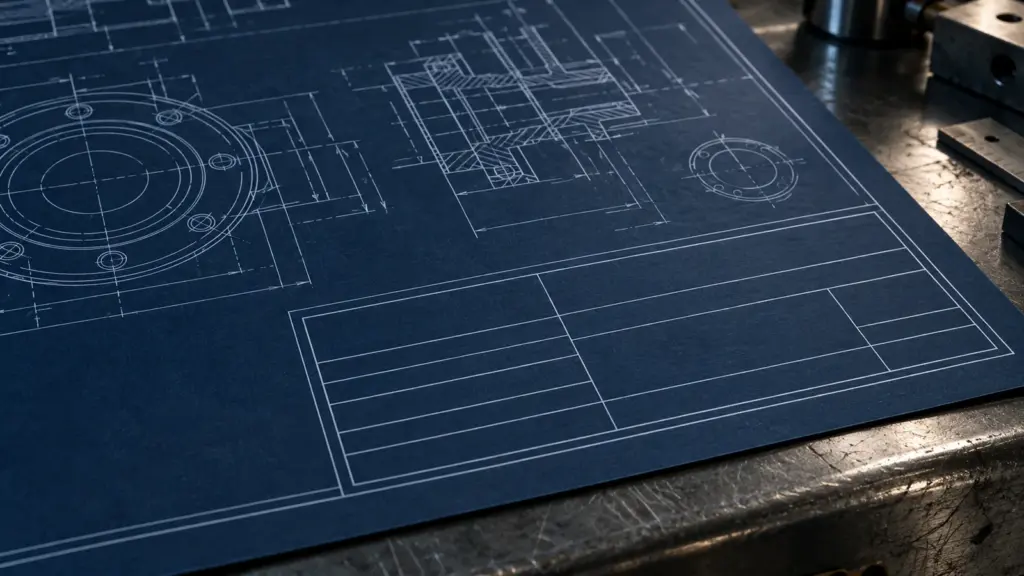
The title block is the smallest part of a drawing and the one people read first. Before anyone looks at a dimension, they check the drawing number, the revision and the status to confirm they are holding the right sheet. When the title block is incomplete or inconsistent, every other part of the drawing becomes harder to trust. This guide covers what an AS 1100 title block should carry, how the revision block and status work, and how to set one up in CAD so it stays correct across a whole drawing set.
It builds on our overview of AS 1100 drawing conventions, which covers lines, projection, scales and dimensioning across the standard as a whole.
What the title block is for
A title block does three jobs. It identifies the drawing, so it can be found, referenced and filed. It controls the drawing, so anyone can tell which version is current and whether it is approved for use. And it qualifies the drawing, by stating the scale, units, projection and standards the content should be read against. A title block that does all three lets a drawing be understood on its own, years after the project team has moved on.
AS 1100.101, the general principles part of the technical drawing standard, sets out the information a title block should contain and conventionally places it in the bottom right-hand corner of the sheet, where it stays visible when a printed drawing is folded and filed. Organisations then build their own layout around that core. The layout varies; the information should not.
The fields, and why each one is there
Identification
- Drawing number. The unique identifier for the sheet. It is the field that everything else refers to — callouts, registers, transmittals and RFIs — so it must never be reused for a different drawing.
- Drawing title. A short description of what the sheet shows, written so it reads correctly in a drawing register: general to specific, such as “Pump skid — base frame — general arrangement”.
- Sheet number. On multi-sheet drawings, “sheet 2 of 5” tells the reader the set is complete. Missing sheets are otherwise invisible.
- Project and client. The project name or number and the client, so a sheet separated from its set can still be traced.
- Organisation. Who produced the drawing and how to contact them.
Control
- Revision. The current revision identifier, which must match the latest line in the revision block.
- Status. What the drawing may be used for — preliminary, for comment, for approval, for construction, as-built. A status is an instruction to the reader, not a label.
- Drawn, checked and approved. Names or initials with dates for each role. The checked and approved fields are what make a drawing auditable; a set issued with the same initials in every box, or with the checked field blank, has not been checked in any way that can be shown later.
Qualification
- Scale. The principal scale of the sheet, with other scales stated beside the views that use them. On a drawing likely to be printed at a different size, a scale bar protects the reader from a scale that is no longer true.
- Sheet size. The original sheet size the drawing was produced for, so a reader knows whether a print has been reduced.
- Projection symbol. Third angle in Australian practice, shown by its symbol. It costs nothing to include and prevents a mirrored part on an asymmetric component.
- Units. Usually millimetres in Australian engineering drawings, stated once so that undimensioned values are never in doubt.
- Standards and general tolerances. The standard the drawing is produced to and, on manufacturing drawings, the general tolerances that apply where no specific tolerance is shown. Where tolerances are specified with geometric controls, see our GD&T basics for Australian drawings.
- Material and finish (manufacturing drawings). Material grade, surface finish and treatment, unless they are given in a separate schedule that the drawing references.
The revision block
The revision block, usually placed directly above or beside the title block, is the drawing’s history. Each line records a revision identifier, a short description of what changed, the date and who approved it. Three habits keep it useful:
- Describe the change, not the event. “Base plate thickened to suit revised loads” is useful; “client comments” is not.
- Mark the change on the drawing. A revision cloud or triangle referencing the revision identifier shows the reader where to look. Clouds from earlier revisions are normally removed so only the latest change is highlighted.
- Use one revision scheme consistently. A common convention is letters (A, B, C) for preliminary issues and numbers (0, 1, 2) once a drawing is issued for construction, so the revision itself signals whether the drawing can be built from. Whatever scheme a project adopts, every sheet in the set should follow it.
Drawing numbers that survive a project
A drawing number is easier to manage when it carries structure. Many organisations build it from a project code, a discipline code and a sequence number, for example a project prefix followed by S for structural, M for mechanical or E for electrical, then a running number. The structure makes registers sortable and lets a reader tell the discipline at a glance. The only firm rules are that the number is unique, that it never changes when the drawing is revised — the revision field does that job — and that it matches the file name, so the PDF, the CAD file and the register all agree.
Setting up the title block in CAD
Most title block errors are not drafting errors. They come from typing the same information by hand on dozens of sheets. The fix is to make the CAD system fill the fields from one source:
- AutoCAD. Build the title block as a block with attributes, and drive those attributes from fields linked to sheet set properties. Project name, client and drawing status are set once at the sheet set level; sheet number and title come from each sheet. A change to the project name then updates every sheet together.
- SolidWorks and other 3D tools. Use a sheet format with notes linked to custom properties of the drawing and the referenced model. Part number, description and material then come from the model itself, so the title block cannot disagree with the part it describes.
- Revit. Use title block families with shared parameters for project and sheet data, and let the revision schedule be generated from the revisions applied to each sheet.
Whichever tool is used, lock the template. A title block that drafters can explode or edit on individual sheets will drift, and drift in a title block is exactly what makes a set hard to audit.
Common title block errors
When we take over or check a drawing set, these are the title block problems we see most often:
- Revision in the title block does not match the last line of the revision block.
- Status left at “preliminary” on a drawing that has been issued for construction, or the reverse.
- Scale stated for a sheet whose views are drawn at several different scales, with none marked on the views.
- Projection symbol missing, usually on drawings converted from older sets.
- Checked and approved fields blank or carrying the drafter’s own initials.
- Drawing number in the title block not matching the file name or the register.
- Sheet numbers not updated when sheets are added, so “sheet 3 of 4” appears on a five-sheet drawing.
Every one of these is cheap to fix before issue and expensive after, because each one makes a recipient doubt the whole set. A short title block check, run against the register before every issue, catches all seven. It belongs alongside the broader checks in our guide to Australian standards for CAD drafting.
Where to read the standard
AS 1100 is published in parts, with general principles in Part 101 and discipline-specific practice in the mechanical, structural and architectural parts. The current editions are available from Standards Australia. Client and project drafting standards often add their own title block requirements on top — check those first on any new project, because they override a company template.
Draftings prepares AS 1100-compliant drawing sets and title block templates for engineering, construction and manufacturing clients across Australia. If you need a set brought into line, or a template built for your sheet set, get in touch.